Signal Forms in Angular: Rethinking Form Handling with Signals
December 10, 2025
•
7 min read

In this post we will be discussing the New Angular Signal Forms feature, which will be introduced in Angular 21 as an experimental feature for tries. This won't be a very detailed introduction to the Signal Forms but at least it will help to set the pace to get started with experimenting with this feature.
But to look at it further I would recommend you also watch this youtube tutorial made by Dmytro Mezhenskyi (opens in new tab)
Introducing Angular Signal Forms
Signal Forms introduce a modern approach to building and managing forms in Angular. By leveraging signals, they offer a more declarative and efficient way to handle form state and validation. While conceptually closer to Reactive Forms than Template-driven Forms, Signal Forms replace Observables with Signals under the hood. This shift aligns more naturally with Angular’s reactivity model and change detection system. With their introduction, the Angular team has reimagined and redesigned the forms API to deliver a cleaner, more intuitive developer experience.
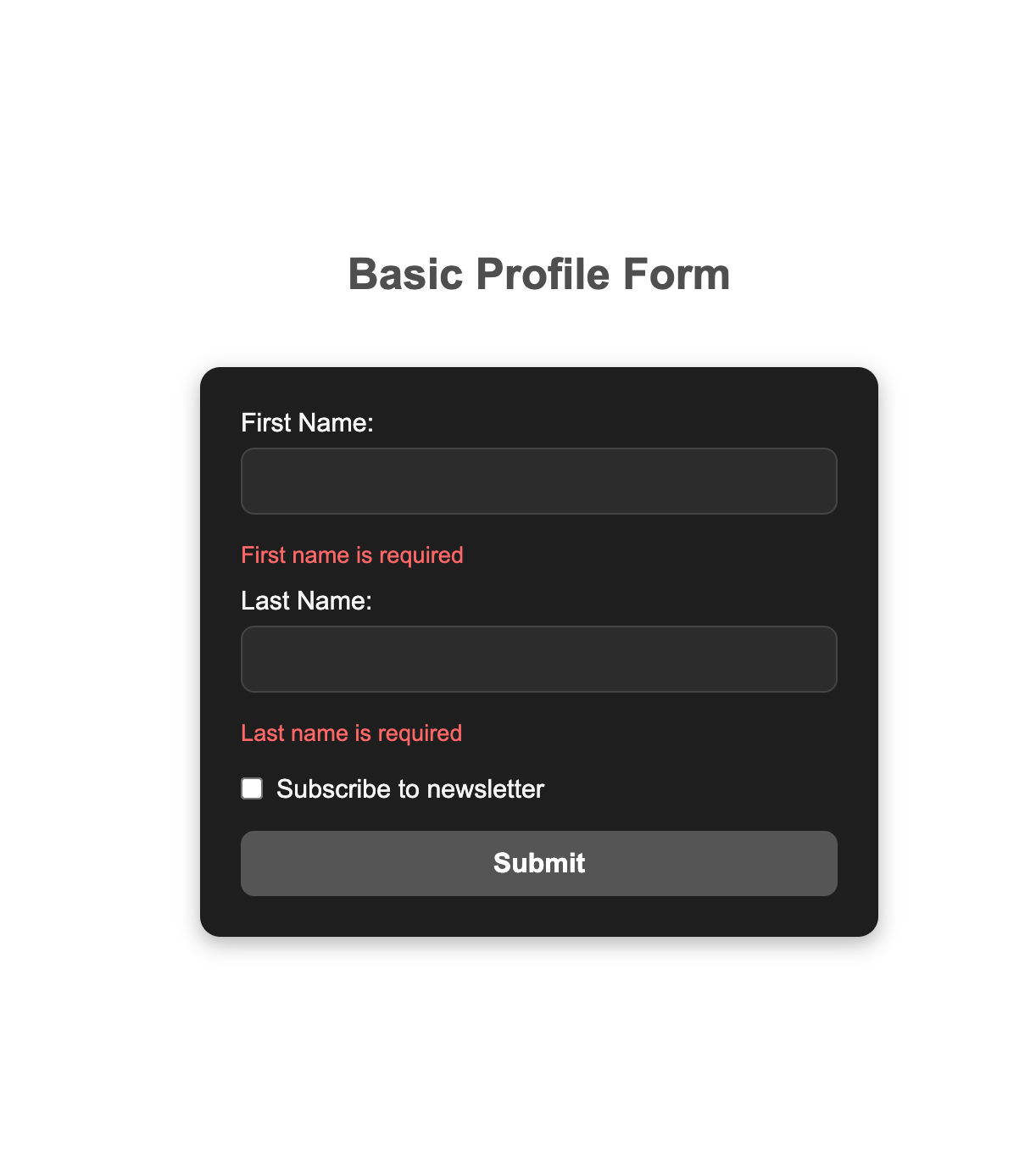
The example form consists of two required fields — First Name and Last Name — along with an optional section that appears dynamically. This optional field, Reason for subscribing, only becomes visible (and required) when the user checks the Subscribe to newsletter checkbox.
This setup demonstrates how Signal Forms handle conditional validation and dynamic UI updates in a clean, declarative way.
Building Forms with Signals - Step 1
At the core of Angular’s new Signal Forms API lies the form() function. Rather than manually creating FormGroup and FormControl instances, you simply provide a signal-based model representing your form’s state. Angular then automatically generates a reactive, signal-driven form for you. In this example, that model is defined as a FormModel object.
At this point, we use the form() function to turn our model into a reactive signal form:
And just like that, the form is ready to use.
Connecting Form Inputs Using the [field] Directive:
In the template, we don’t need formControlName or ngModel anymore. Instead, we use the new [field] directive to connect form controls to input elements:
The [field] directive simplifies form binding by removing the need for manual control lookups. It automatically links each model field to its input in a clear and declarative way.
Adding Validation to the Form - Step 2
To make our form more robust, we’ll add validation. Signal Forms lets you define validation rules directly within the form() function, keeping your form logic clean and declarative. Here’s how:
To show the correct error message, we check for each specific validation error:
This works — but it’s verbose, repetitive, and becomes harder to maintain as more validators are added.
Attaching Messages to Validators - Step 2.1
Signal Forms make this easier by allowing us to define messages directly within validators. This removes the need for repetitive if/else checks, we can simply render the provided message.
The template now becomes much simpler:
Reusing Validation with Schemas - Step 2.2
Notice that both firstName and LastName share the same validation rules. Instead of duplicating them, we can define a reusable schema and apply it to multiple fields.
Cleaner, DRY, and reusable across different forms.
Conditional Validation - Step 3
Sometimes, validation rules aren’t fixed — they depend on other fields in the form. For example, in our profile form, the subscription reason field should only be required when the user checks the Subscribe to newsletter checkbox.
In traditional Angular forms, this typically involved extra boilerplate — subscribing to valueChanges, manually updating validators, and calling updateValueAndValidity().
Signal Forms simplify this process. Validators can now include a when condition that determines whether they should run.
Here’s how we can add a conditional validator for reason:
Alternatively, the same conditional validator for reason can also be expressed more succinctly like this:
The template remains largely the same — we simply include an error display for the reason field:
Now, the form requires the subscription reason only when it’s applicable.
Handling Submissions - Step 4
Forms don’t just validate input — they usually need to send data to a backend. Signal Forms come with built-in helpers to simplify this as well.
With the new submit() function from @angular/forms/signals, you can:
- Track submitting state directly in the form
- Handle server errors as part of the form’s error system
- Reset the form after a successful submission
Here’s how we can wire up our conference talk proposal form with a submission handler:
The .submitting() signal allows the submit button to be disabled during form submission.
The submit button becomes active only when the form is valid and submission is not in progress.
Key Takeaways
Signal Forms bring a fresh, modern approach to building forms in Angular. For years, developers have had to manage verbose FormGroup setups, wire up valueChanges subscriptions, duplicate validator logic, and write endless if/else blocks for error messages.
With Signal Forms, all of this becomes dramatically simpler. Validators are declarative, bindings are direct with [field], and conditional logic can be handled elegantly without boilerplate.
Even in this experimental version of Angular v21.next, it’s clear that Signal Forms are shaping up to be one of the most impactful improvements to Angular’s developer experience. If you’ve ever been frustrated by Angular’s old form APIs, this is the feature you’ve been waiting for.
See What's Changed
The Control directive has been renamed Field is the latest pre-release (next.8). refactor(forms): rename the control directive to the field directive #64300 (opens in new tab)